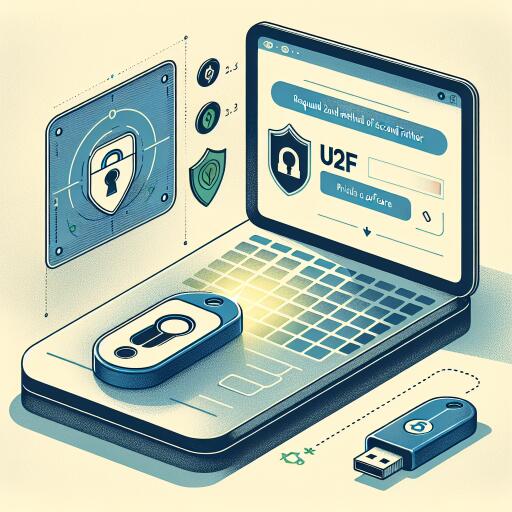

Universal 2nd Factor
Universal 2nd Factor (U2F) is an open standard that strengthens and streamlines two-factor authentication by using dedicated hardware tokens connected via USB or near-field communication. This approach relies on cryptographic strength similar to that used in smart cards, protecting credentials from common phishing and credential-stealing attacks.
Originally spearheaded by major tech players, U2F has evolved and is now stewarded by a standards and industry consortium that emphasizes interoperability and security across platforms and services.
Widespread adoption means many popular services support U2F, and the setup generally revolves around a small runtime component that enables WebAuthn/FIDO2 interactions in compatible browsers. A hardware token is registered once with a service, and subsequent sign-ins require a user action to authorize with the physical device.
How U2F works in practice
During the enrollment phase, the authenticator creates a unique cryptographic credential for each service you use. The private key never leaves the device, and the service holds a public counterpart. When you log in, a challenge is sent by the service, the authenticator signs it with the private key, and you confirm the action by touching or activating the device. If the signature is valid, access is allowed without exposing your password at that moment.
Integrating U2F into system logins
On desktop systems, there are modules that enable U2F as a second factor during login flows. These modules can be configured to require the hardware token in addition to, or instead of, other forms of authentication. The goal is to make the token a trusted, hardware-bound credential that validates identity without transmitting secrets in clear text.
Multiple authenticators
If you own more than one compatible key, you can enroll additional devices. Some configurations will prompt for each successive key until a valid authentication occurs. Policies should be planned so the requirement for a hardware token doesn’t inadvertently lock you out if a device is misplaced or damaged.
Performance and compatibility notes
In certain setups, particularly with some login managers, presence detection for multiple tokens can introduce brief delays while the system waits for device responses. If you encounter hesitation, consider adjusting the login workflow or consolidating to a single preferred authenticator. Some environments may not fully initialize U2F at boot, so you might rely on the standard login flow first and enforce the hardware check once the session is active.
Biometrics and one-factor scenarios
When using biometric verification alongside U2F, you can configure the system to rely on the hardware token for primary authentication, bypassing extra prompts that appear after a successful biometric check. This keeps the unlock process straightforward while preserving strong second-factor verification when needed.
Extending U2F to other services
Beyond logging in, U2F can be integrated into other authorization gates on the system. By updating the relevant access-control rules, you can protect sensitive operations such as session control, privilege escalation, and secure screensavers with your hardware token, creating a uniform security posture across the environment.
Recovery and safeguards
If an installation is misconfigured or a token is unavailable, booting from a recovery medium or removable drive lets you revert the changes and restore access. Having a preplanned recovery workflow is essential to avoid data loss or permanent lockout when hardware authentication becomes temporarily unavailable.
Registering and managing tokens
To bring a device online with a service, use a management tool that scans connected authenticators and registers them with the system. The process typically lists recognized hardware and allows adding new devices. This approach also supports scenarios involving encrypted volumes or other security layers that tie access to hardware-backed keys.