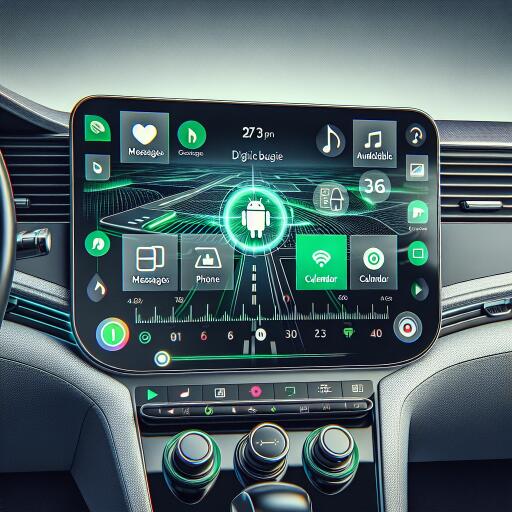

Android Auto: everything you need to know about Google’s digital in-car dashboard
Driving has gone far beyond knobs, dials, and bland sat-nav screens. Android Auto turns your car’s display into a familiar, phone-powered hub, giving you map guidance, calls, messaging, and entertainment with far less faff. As carmakers pile on complex menus, many drivers prefer mirroring systems that feel fast, clear, and consistent—no matter which car you’re in.
What is Android Auto?
Android Auto is Google’s in-car companion that projects a simplified version of your Android phone onto your vehicle’s infotainment screen. It’s designed to minimize distraction with big, tap-friendly icons, robust voice control, and a layout that puts essentials first. You can navigate with apps like Google Maps or Waze, take calls, dictate and hear messages, and stream music, podcasts, or audiobooks—all while keeping your hands on the wheel and eyes on the road.
The software is free, works with a wide range of vehicles and head units, and supports many popular apps. Think of it as a consistent, phone-driven interface that often feels more intuitive than some built-in systems.
What’s new for 2025
Google is rolling out interface refinements that tighten integration with native vehicle functions. A notable change is the ability to control certain car features—like radio—without hopping back to the manufacturer’s menus. Expect broader media support as well, with video streaming and web browsing options appearing where allowed. As always, video playback is typically limited to when the vehicle is parked for safety.
How to connect Android Auto
Check compatibility
Most recent cars and aftermarket head units support Android Auto, either via cable or wirelessly. If in doubt, consult your vehicle’s manual or infotainment settings to confirm support.
Wired setup (USB)
- Use a quality USB-A or USB-C cable to plug your phone into the car’s USB port.
- Ensure mobile data is active on your phone.
- Follow the on-screen prompts on your car display and phone to grant permissions.
- No Bluetooth pairing is required for the wired method.
Wireless setup
- On compatible cars, start pairing via the infotainment system’s phone connection menu.
- Authorize permissions on both your phone and the car when prompted.
- Wireless connections typically use Bluetooth for the handshake and Wi‑Fi for data.
Phone requirements
- Wired Android Auto: Android 8.0 or later with an active data plan.
- Wireless Android Auto: generally Android 11 or later, though many Samsung and Google phones support it from Android 10. Some older Samsung flagships (such as Galaxy S8/S8+/Note 8) require Android 9 or later.
- 5 GHz Wi‑Fi support is needed for wireless; most modern phones qualify.
If connection fails, try a different USB cable, confirm Wi‑Fi and Bluetooth are on (for wireless), and reboot the head unit and phone. Some vehicles may need a software update from the dealership.
Core features
- Navigation: Google Maps and Waze provide turn-by-turn directions, live traffic, and hazard alerts.
- Communication: Dictate and hear messages from supported apps, make and receive calls with voice control, and keep your phone in your pocket.
- Media: Stream music and podcasts from services like Spotify and Amazon Music, or play audiobooks with apps such as Audible.
- EV support: Charging apps can help locate stations, filter by speed, and show availability.
- Voice-first experience: “Hey Google” lets you set destinations, control playback, or respond to messages hands-free.
Price
Android Auto is free. Your only potential cost is mobile data usage for streaming, map updates, and voice processing. Some vehicles may restrict Android Auto to specific trims or options, but it’s increasingly standard across the market.
Pros
- Familiar interface that mirrors your phone, often faster to navigate than some built-in systems.
- Excellent navigation with frequent updates and live traffic.
- Strong voice control reduces distraction; recent AI features can summarize and read messages and draft quick replies.
- Wide app ecosystem for music, podcasts, audiobooks, and messaging.
- Consistent experience across different cars—ideal for drivers who switch vehicles frequently.
Cons
- Android-only: iPhone users need a different platform.
- Data consumption can stack up with streaming unless you use offline modes.
- Not every vehicle supports wireless; you may need a cable or an add-on adapter.
- Heavy reliance on touchscreens can be frustrating if your car’s controls are clunky, though steering wheel buttons and voice help.
Tips for a smoother drive
- Preload offline maps and playlists before long trips to save data and avoid dead zones.
- Use a high-quality, short USB cable for reliable wired connections.
- Customize your Android Auto launcher to keep essential apps front and center.
- Enable Do Not Disturb while driving to reduce non-essential alerts.
- Only use video or web apps when parked—safety first.
The bottom line
Android Auto brings the best of your phone to your dashboard in a safer, simpler format. With tighter car integration and broader media support arriving, it’s becoming less of a “mirror” and more of a smart, driving-focused interface. If your vehicle supports it—and your phone meets the requirements—it’s one of the easiest upgrades you can make to your daily drive.