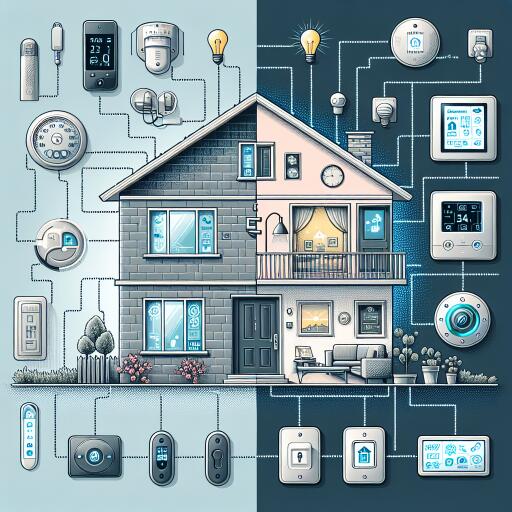

How To Turn A House Into A Smart Home: Integrated Systems & Product Efficiency
Turning a house into a smart home isn’t just a lifestyle upgrade—it’s a strategic way to cut waste, reduce risk, and consolidate control. Done well, an integrated setup can trim energy bills by 8–20% and pay for itself within a few years. Done poorly, it can introduce security gaps and incompatible gadgets you’ll regret. Here’s how to build a secure, efficient system—without the costly mistakes.
- Smart thermostats, lighting, and plugs can reduce energy use by 8–20%, depending on climate and habits.
- Start with a speaker/display hub, thermostat, and lighting to create a reliable foundation.
- DIY is fine for bulbs, plugs, and many locks; hire pros for wiring, panels, and complex security.
- Harden your network: strong passwords, WPA3, updates, segmentation, and multi-factor authentication.
- Most setups recoup costs in 2–3 years via energy savings, loss prevention, and possible insurance discounts.
Why Integrated Systems Save Money (And Time)
Smart home platforms connect heating/cooling, lighting, and appliances to your routines and occupancy. The biggest savings typically come from energy management:
- Smart thermostats: Studies frequently report average reductions around 10–12% for heating and 15% for cooling when schedules, learning, and occupancy sensing are used. Actual results vary by climate and usage.
- Smart lighting: Swapping to LEDs plus automation (dimming, occupancy sensing, daylight scheduling) can cut lighting-related costs by 30–70% depending on what you’re replacing and how you automate.
- Smart plugs/switches: Scheduling or cutting power to devices with high standby draw eliminates “phantom” loads.
Beyond utilities, integrated systems deliver compounding value: real-time leak and smoke alerts, motion-triggered lights, and activity timelines that boost security, convenience, and maintenance awareness.
Start With These Foundational Devices
1) Smart Speakers/Displays as Your Control Hub
Voice-first hubs reduce app fatigue and unify control across brands. Amazon Alexa, Google Assistant, and Apple’s Siri (via HomePod) can manage lighting, climate, locks, and cameras. Smart displays add visual feedback—camera feeds, thermostat set points, and routines—useful in kitchens and entryways. Pick the assistant you already use on your phone for smoother routines and fewer compatibility headaches.
2) Smart Thermostats for Fast ROI
Thermostats consistently deliver one of the quickest paybacks. Popular models employ geofencing, occupancy sensors, and learning schedules to avoid heating and cooling empty rooms. Reported savings commonly land in the low double digits, and many households recoup device costs within about two years. For multi-room precision, pair with remote sensors to better condition occupied areas.
3) Smart Lighting and Plugs for Everyday Efficiency
LED smart bulbs and switches improve both control and efficiency. Schedule lights by sunrise/sunset, trigger scenes with motion, and use dimming to reduce consumption. If you prefer keeping existing bulbs or fixtures, smart switches offer whole-circuit control. Smart plugs bring dumb devices—lamps, fans, coffee makers—into your routines and can surface real energy data so you can target high-draw culprits.
Integration Strategies That Actually Work
Randomly buying “cool” devices is how you end up with four apps and no automation. Instead:
- Pick an ecosystem: Amazon Alexa and Google Assistant offer broad compatibility and strong voice control. Apple Home (HomeKit) emphasizes privacy and security with tighter certification. Samsung SmartThings adds robust automation options. Choosing one primary platform simplifies setup.
- Look for Matter and Thread: Newer devices supporting Matter aim to reduce cross-brand friction, while Thread creates a low-power mesh that’s faster and more reliable than crowded Wi‑Fi.
- Bridge gaps with automation tools: If This Then That (IFTTT) and native routines let devices from different brands interact—for example, a doorbell triggering porch lights or a system mode change adjusting the thermostat.
DIY vs. Professional Installation: Where to Draw the Line
Good DIY candidates: bulbs, plugs, many smart locks, indoor Wi‑Fi cameras, standalone leak sensors, and basic window/door sensors. These usually require a screwdriver, a stable Wi‑Fi network, and a clear read of the manual.
Call a pro when:
- Wiring is involved (new circuits, panel work, 240V loads).
- You’re mounting outdoor cameras and running weatherproof cabling.
- You want a hardwired security system with professional monitoring.
- You’re installing a smart electrical panel or whole‑home automation backbone.
- Manufacturer warranties require certified installation.
Professionals not only ensure safety and compliance but also optimize placement, mesh networks, and hub configurations you might otherwise overlook.
Security Risks You Must Address (Cyber and Physical)
A modern smart home is only as trustworthy as its security posture. Researchers regularly uncover vulnerabilities in hubs, cameras, and cloud services. Treat your home like a small business network.
1) Harden Your Network
- Use strong Wi‑Fi encryption: Prefer WPA3 (or at least WPA2) with a unique passphrase.
- Update your router: Apply firmware updates, disable insecure remote administration, and change default admin credentials.
- Segment devices: Put smart home gear on a guest SSID or VLAN separate from laptops and work devices. This limits lateral movement if one gadget is compromised.
- Disable risky features: Turn off UPnP and WPS, which can expose devices unintentionally.
2) Lock Down Each Device
- Change default passwords immediately: Cameras, locks, and hubs shipped with defaults are easy targets. Use unique, complex passwords and a password manager.
- Enable multi‑factor authentication (MFA): Turn on MFA for the app and cloud account tied to each device.
- Review permissions: Minimize data access for third‑party skills or integrations. Remove what you don’t use.
3) Maintain Updates and Privacy Hygiene
- Auto‑update firmware: Security patches close known holes; enable automatic updates wherever possible.
- Check privacy policies: Prefer vendors with transparent data practices, local processing options, and a track record of timely fixes.
- Audit devices regularly: Remove unused accounts, decommission old hardware, and rotate credentials after any major breach in the news.
Calculating ROI: Savings, Safety, and Peace of Mind
Energy: A well‑tuned thermostat, lighting automation, and smart plugs can collectively shave meaningful percentages off monthly bills. Reported thermostat savings alone often reach low double digits, with lighting automations cutting a large share of wasted usage. Over time, upgrading to efficient appliances compounds the gains.
Upfront costs: Basic multi‑room bundles—hub/speaker, lighting, locks, thermostat—often land in the low‑to‑mid thousands, though DIY and selective upgrades can be far cheaper. Many households see payback in roughly 2–3 years when energy, time saved, and avoided incidents are factored in.
Security and insurance: Smart security can deter theft and document incidents. Water leak sensors, smart shutoff valves, and connected smoke detectors prevent or limit damage—savings that can dwarf device costs. Some insurers offer discounts for monitored alarms or mitigation devices; ask before you buy.
Choosing Products for Maximum Impact
- Start with your pain points: Drafty rooms? Start with a thermostat and sensors. High lighting costs? Begin with switches in high‑use areas.
- Favor supported ecosystems: Established brands with Matter support, strong app usability, and frequent updates tend to age better than bargain gear.
- Check efficiency and durability: Energy certifications, realistic standby usage, and long LED lifespans drive ROI.
- Read real reviews: Prioritize reliability, timely patches, and privacy commitments over flashy features.
- Plan for scale: Ensure your hub, mesh Wi‑Fi, and power budget can handle more devices later.
A Secure Path to a Smarter Home
Success isn’t about buying the most gadgets—it’s about integrating the right ones securely. Start with a hub, thermostat, and lighting; grow with plugs, sensors, and cameras; and harden everything with strong passwords, updates, and network segmentation. Do that, and your home becomes more efficient, safer, and easier to live in—without compromising your privacy.