
‘Update And Shut Down’ — Microsoft Confirms Windows Update Mistake
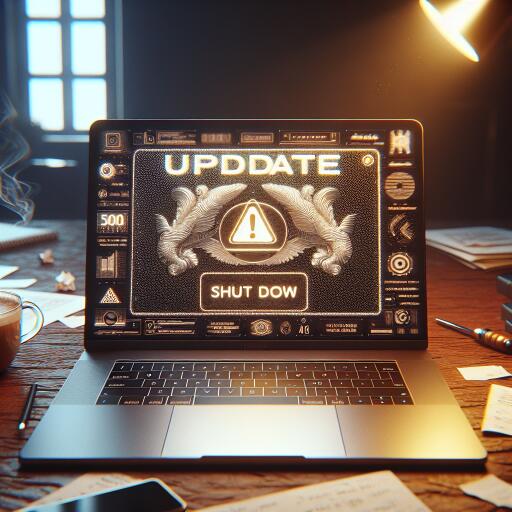
Microsoft has acknowledged and patched a long-standing Windows quirk where choosing “Update and shut down” would sometimes reboot the PC instead. The fix is now rolling out to Windows 10 and Windows 11. On newer builds of Windows 11 25H2 (including build 26200.7019 and later) and via the October 2025 optional update (KB5067036) for supported releases, selecting “Update and shut down” should finally do exactly that—power off.
Why this mattered
For desktop users, the issue was mostly an annoyance. For laptop owners, it could be a battery killer: you’d pick “Update and shut down” at night, only to find the device had restarted to the sign-in screen and drained the battery by morning. Because “Update and shut down” and “Update and restart” sit side by side, many assumed they clicked the wrong option—when in reality, Windows wasn’t honoring the shutdown directive.
How to get the fix
Install the latest optional update (KB5067036) or any newer cumulative update on Windows 10/11. On Windows 11, builds at or beyond 25H2 26200.7019 include the correction. After applying, pick “Update and shut down” from the power menu and your system should properly turn off instead of rebooting.
Update titles are changing—again
Microsoft is also refining how update names appear, aiming for clearer, more user-friendly titles while keeping essential identifiers like KB numbers and build/version. Initial changes removed elements such as month-year and the word “cumulative,” but that move drew strong feedback from IT administrators who rely on dates for change management. Microsoft says it will reinstate the month and year in update titles to improve clarity across large fleets.
Driver update errors persist, but with mitigations
Another headache remains: a persistent driver update problem that can throw errors such as 0x80070103 or 0x800f0983—often when Windows tries to install a driver that’s already present. Microsoft has acknowledged the issue and says recent patches reduce how often it occurs, though a complete fix isn’t available yet. If your device functions normally, you can usually ignore the error notification; otherwise, consider pausing that specific driver update or rolling back the driver rather than resorting to a full system reset.
False “end of support” warnings on Windows 10
Some Windows 10 machines have displayed an incorrect “your version of Windows has reached the end of support” message even when properly enrolled in Extended Security Updates (ESU). This affects systems like Windows 10 version 22H2 Pro, Education, and Enterprise editions with valid ESU activation, as well as LTSC 2021 variants. Microsoft has corrected the server-side issue, and the warning should disappear after the next update check. If it lingers, run Windows Update and reboot; it can take 24–48 hours for the change to propagate.
Where Windows 10 stands now
Mainstream security updates for consumer Windows 10 ended in October, but ESU keeps critical patches flowing for those who opt in. Enrollment is open until October 13, 2026. Even if you join later, devices receive earlier ESU cumulative updates along with future ones. For users or organizations not ready to move to Windows 11 or new hardware, ESU offers a safety net during the transition period.
What to do now
- Apply the latest optional or cumulative update so “Update and shut down” behaves correctly.
- Admins: note that clearer update titles are rolling out, with month-year returning after feedback.
- If you encounter driver update errors (0x80070103/0x800f0983), verify device health and consider pausing or hiding that driver update.
- On Windows 10, confirm ESU enrollment if you rely on extended security patches, and disregard the false end-of-support warning once it clears.
Bottom line: a decades-old annoyance with shutdown behavior is finally fixed, update naming is being tuned for clarity after some missteps, and Windows 10 users on ESU should see misleading support messages vanish as the server-side correction reaches their PCs.